












Galivo for iPhone
Galivo finds the photos you don’t need.
You clear them easily.
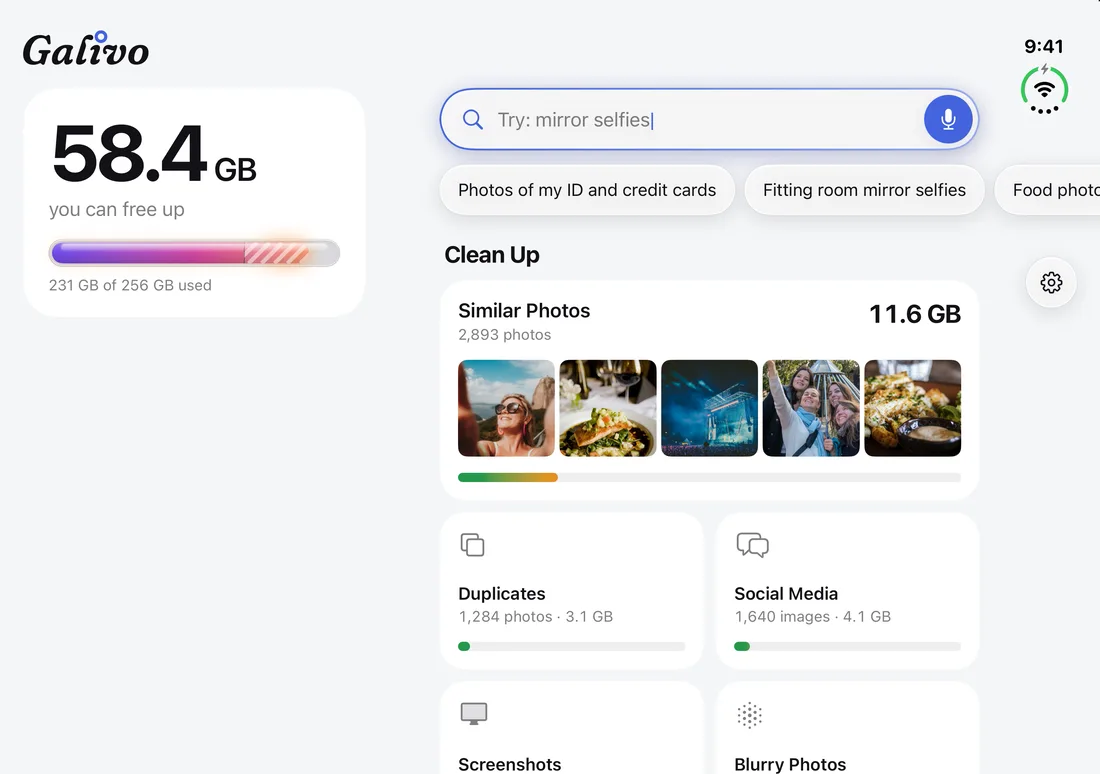
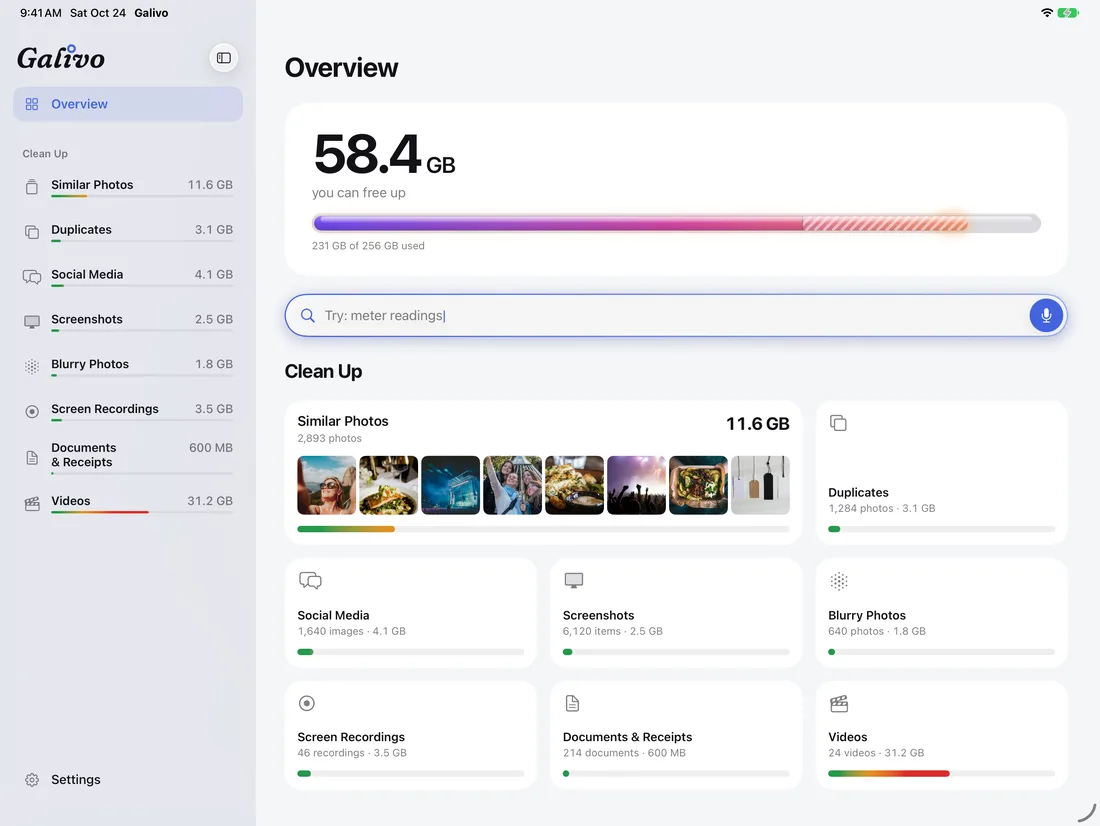
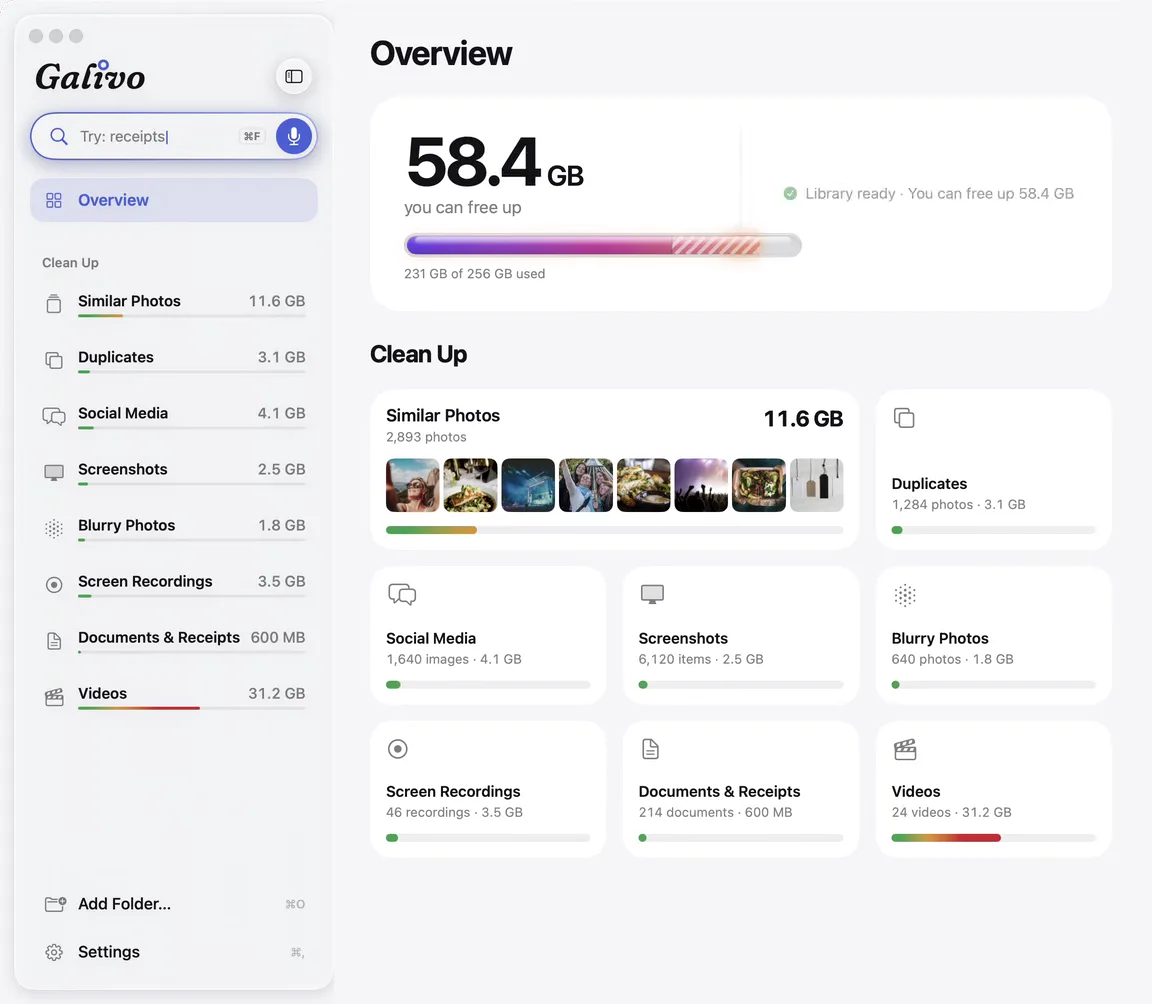
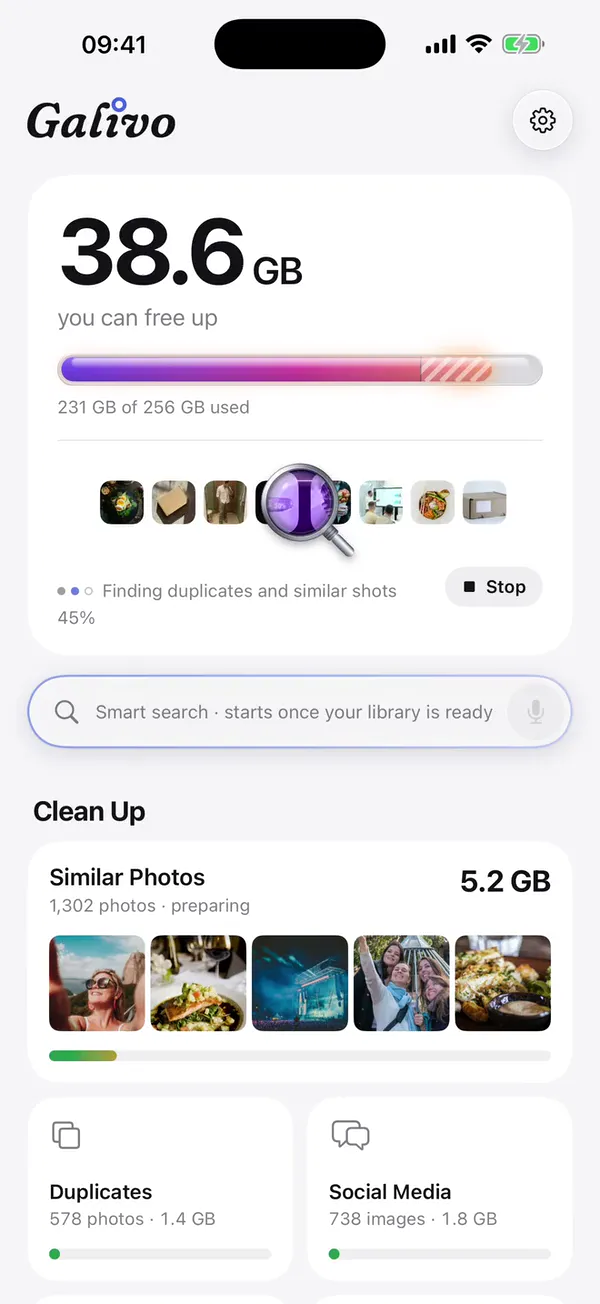
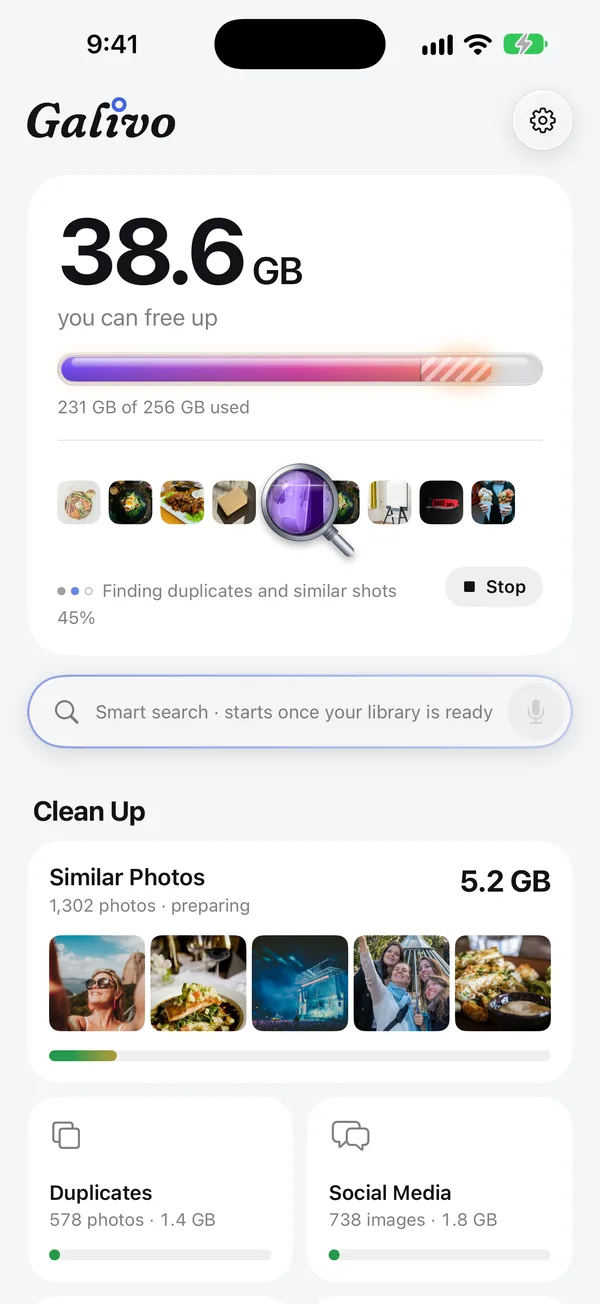
It goes through your library on your device and groups similar shots, duplicates, screenshots, blurry photos and large videos. A suggested best shot of each set comes marked to keep. You decide what goes, and not a single photo leaves your device.

Launch offer: special price until January 1.
iPhone · iOS 17 or later
Ten takes of the same moment. One is enough.
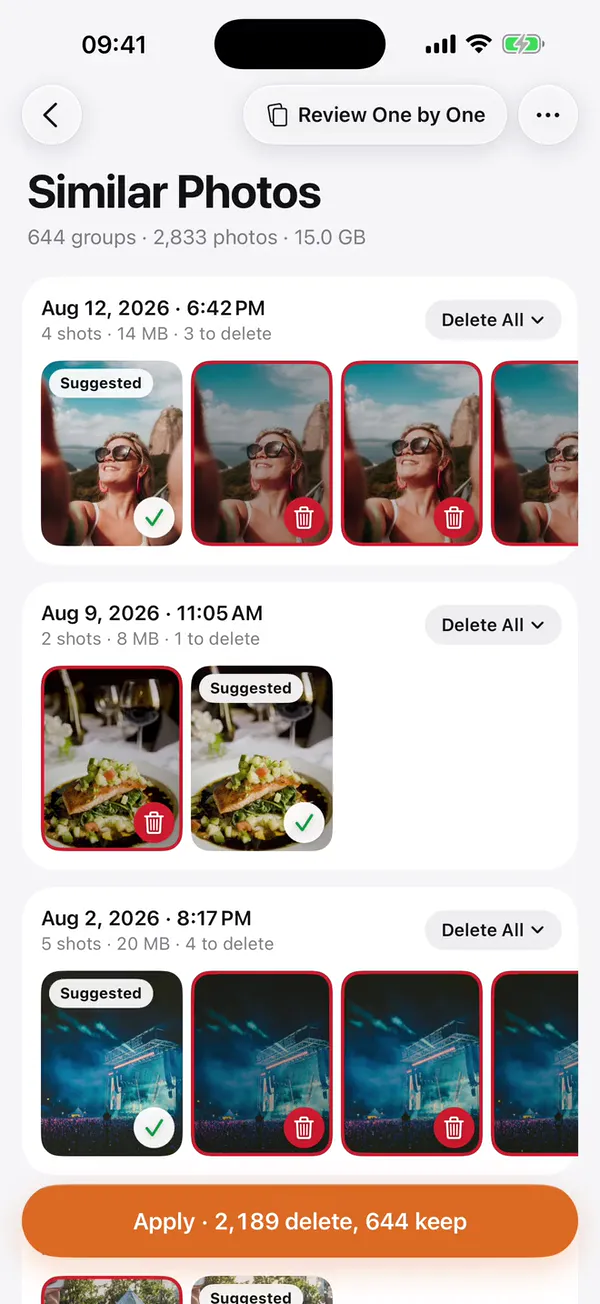
Galivo groups shots taken moments apart and suggests one to keep in each group. The rest comes marked to delete, and you can change any pick. Review the summary, then confirm.
- A suggested best shot comes markedCriteria like sharpness and resolution pick a suggested best shot for each group, and you can change any pick. Your favorites, edited and hidden photos stay out of the cleanup lists.
- Ready-made cleanup listsDuplicates, screenshots, blurry photos, documents and receipts (needs iOS 18 or later), social media, large videos and screen recordings, each in its own list.
- Nothing happens until you say soMark each one keep or delete (or compress a video), then confirm the summary. Deleting also asks for the system confirmation, and what you keep waits under Kept, where you can undo it anytime.
Search, then delete.
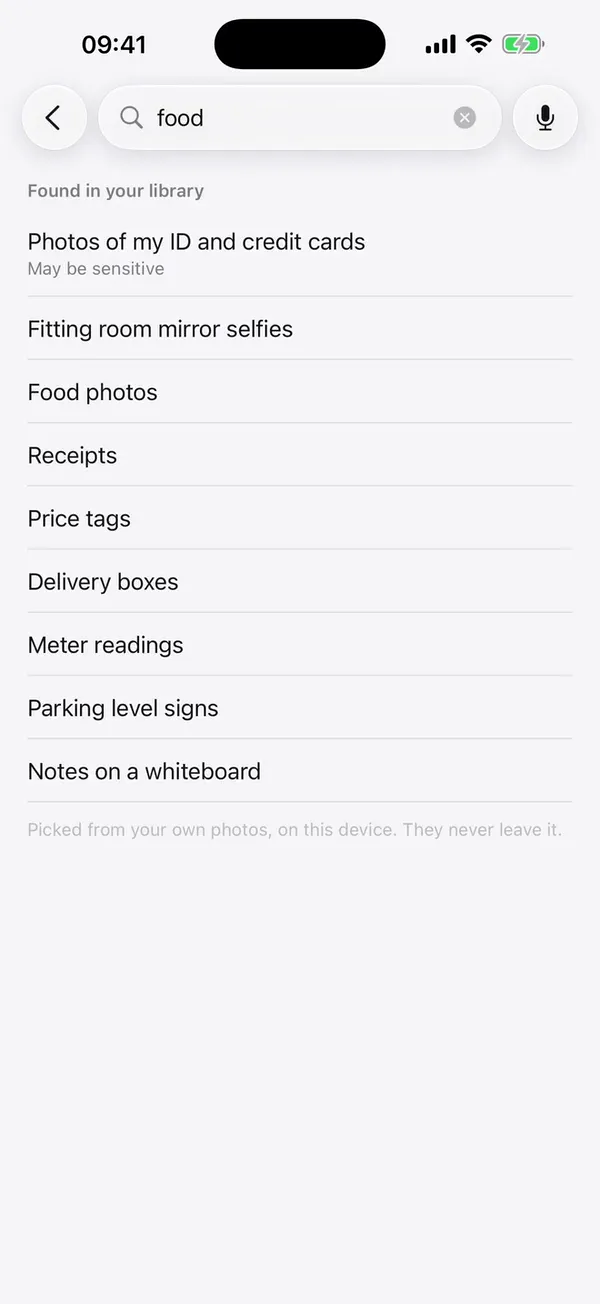
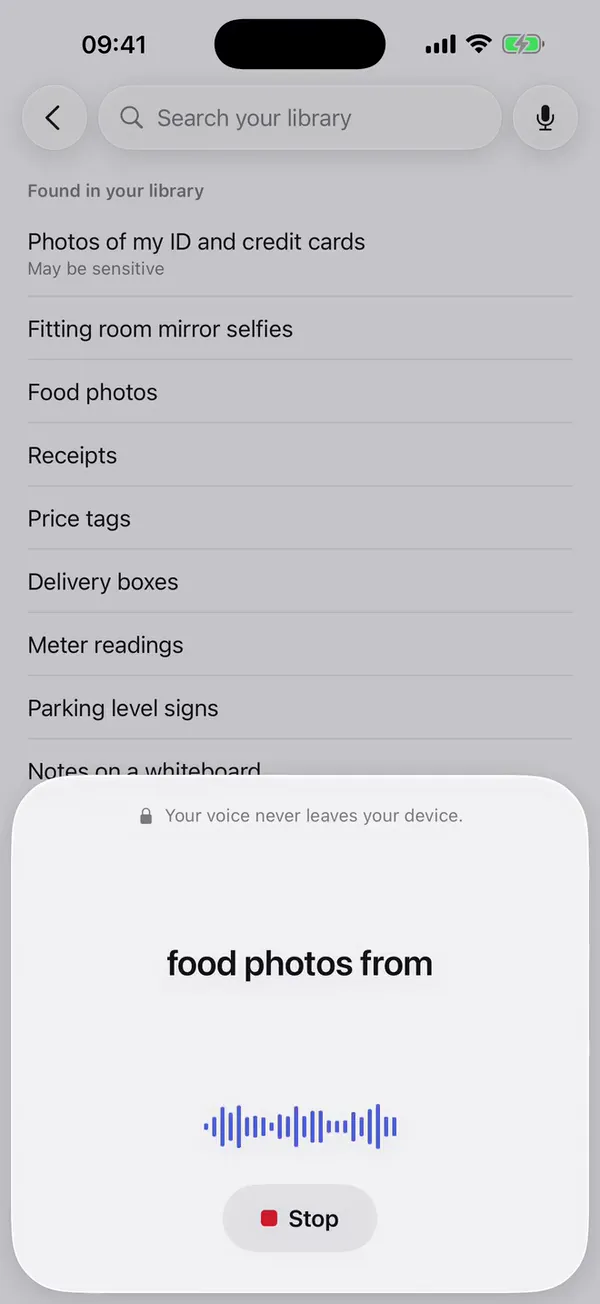
Know what you want gone? Type it the way you remember it: “fitting room mirror selfies”, “photos of my ID and credit cards”, “photos of where I parked the car”. Galivo looks at what each photo shows, so you don’t need tags, albums or file names. Review what it finds before you delete anything.
- Photos and videos togetherVideos show up in the same search, in one list with your photos.
- Dates and places become filtersWords like “last summer”, “from Paris” or “December 2023” turn into filters you can edit or remove.
- Your searches stay on your deviceWhat you type and the search index are kept only on your device.
Select them all. Delete in one go.
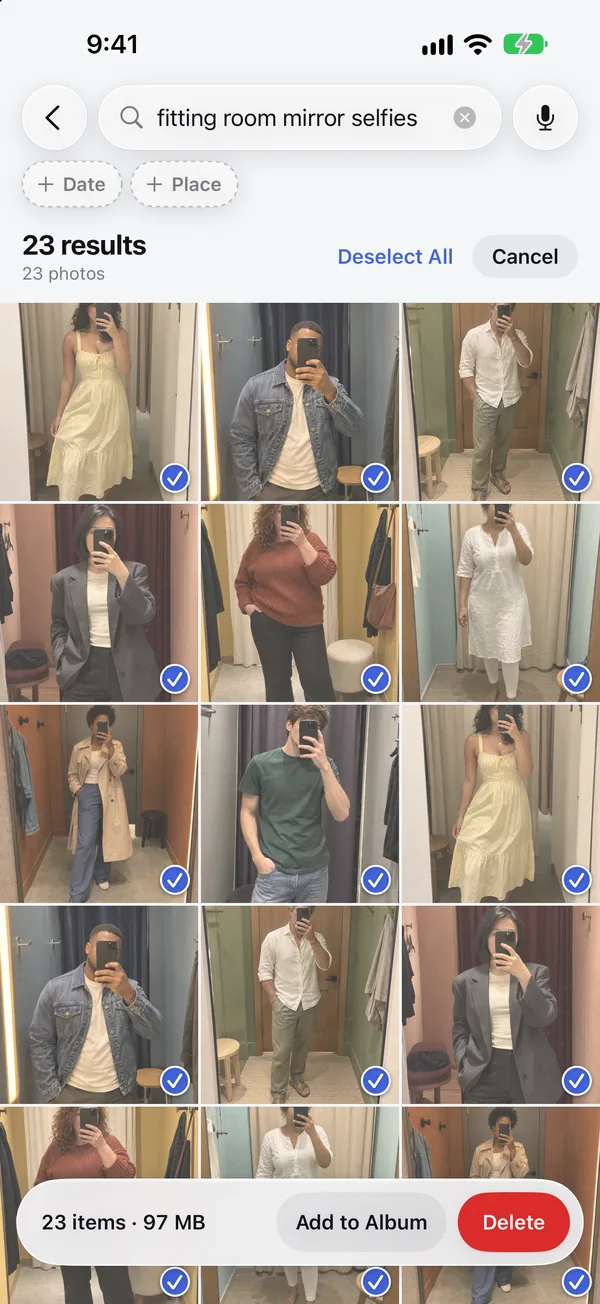
No ticking photos one by one. Select everything the search found, see how many photos and videos that is and their total size, then decide.
- Delete or add to an albumClear your selection in one step, or gather it into an album.
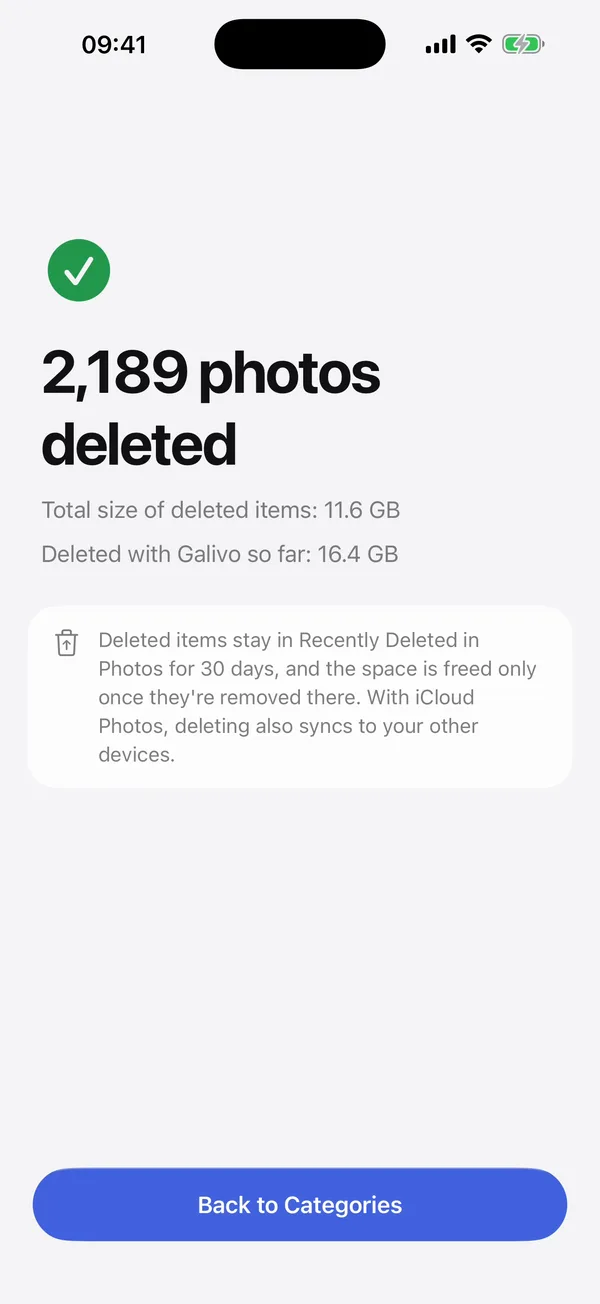
- See the size before you deleteThe total size of your selection is shown before anything is deleted. It’s an estimate: space returns once Recently Deleted is emptied, by you or by the system.
- 30 days to change your mindDeleted items go to Recently Deleted in Photos, where you can recover them for 30 days. With iCloud Photos, a deletion reaches your other devices too.
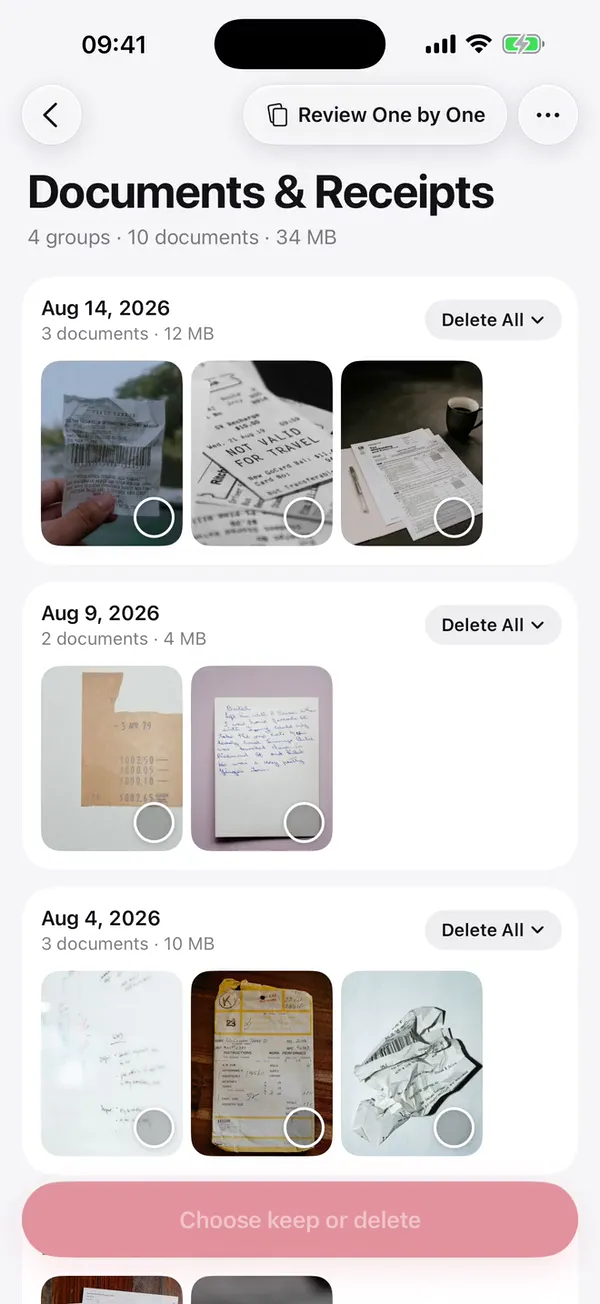
Receipts and documents get their own list.
Photos of receipts, documents and notes are gathered in one list. This list needs iOS 18 or later. Not sure about some of them? Go through them one by one and mark each Delete or Keep.
- What you keep stays keptOnce you keep a photo, no list suggests deleting it again. You can undo that under Kept.
Shrink a video instead of deleting it.
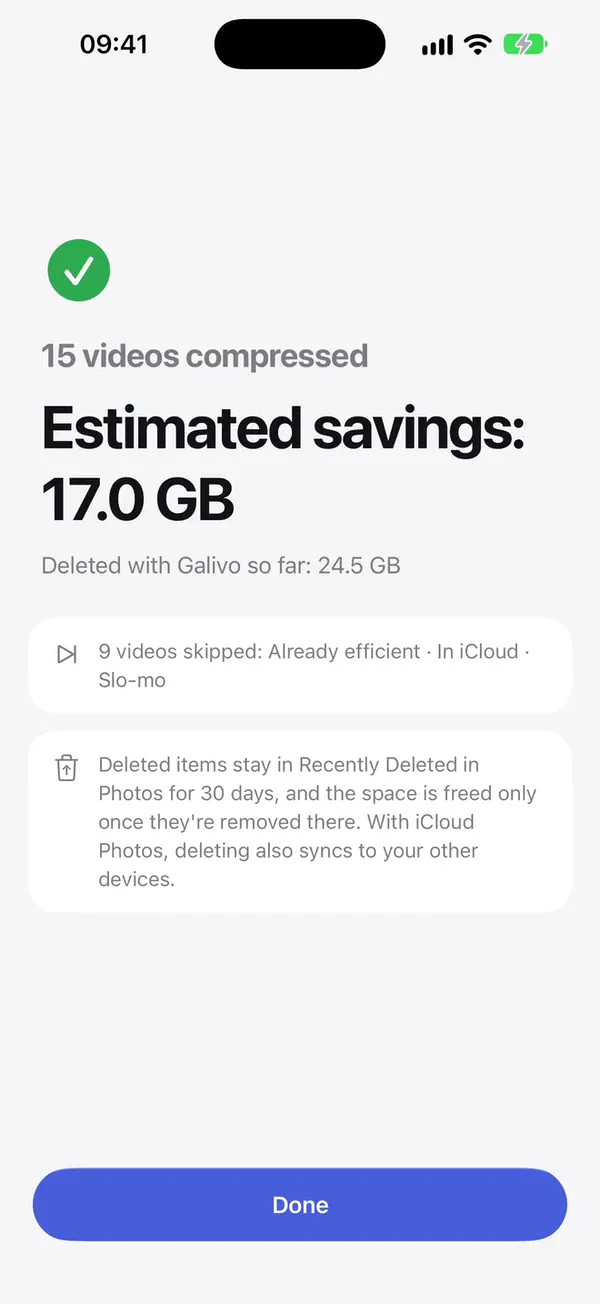
Large videos get three choices: keep, compress or delete. A compressed video stays in your library and takes up less space. The original is removed only after the new copy is saved and checked, and only with your confirmation.
- A smaller copy, up to 1080pGalivo saves the video again in HEVC, at up to 1080p.
- Only videos on your deviceVideos stored only in iCloud are skipped.
Just say it.
Tap the mic and say “food photos from Paris last summer”, the way you’d tell a friend, and Galivo searches for it. The mic appears when your device supports on-device recognition. Voice search only searches; it never deletes anything.
- Recognized on your deviceYour speech is turned into text with on-device speech recognition. It isn’t recorded or sent anywhere.
- Everyday sentences workNo keywords to memorize. Say it the way you remember it, in English or Turkish.
Your photos never leave your device.
Analysis, grouping and search all happen on your device. Your photos, searches and voice are never sent to a server. Cleanup works offline from the first launch. Galivo goes online only to download the smart search file: about 510 MB when you turn smart search on, and again if you remove it and download it later. Keep a little extra free space for setup.
- No cloudNot a single photo is uploaded.
- No accountNo email, no sign-in, no profile.
- No trackingNo analytics, ads or tracking code. App Store label: Data Not Collected.
- Works in airplane modeCleanup never needs the internet, and search works offline once the file is downloaded.
Pay once. No subscription.
No monthly fee, no ads, no in-app purchases. Every feature is included in the price. Smart search needs a download and some preparation on first use, and voice search depends on your device’s support.
- No subscription
- No ads
- No in-app purchases
Launch offer: special price until January 1.
iPhone · iOS 17 or later